> For the complete documentation index, see [llms.txt](https://manual.unosofbooks.com/llms.txt). Markdown versions of documentation pages are available by appending `.md` to page URLs; this page is available as [Markdown](https://manual.unosofbooks.com/guia-de-usuario-es/produccion/datos-de-produccion/untitled.md).
# Produción diaria // Página de Entrada Diaria
Aquí registramos todas las flores no clasificadas. Es decir, cualquier tallo que no esté registrada como "Flor Nacional" o "Exportable".
{% hint style="success" %}
Ingrese a: Producción / Datos de Producción / Producción Diaria
{% endhint %}
Aquí encontrará una página donde puede ingresar los tallos que no se clasificaron, tales como:
* Flor para control de calidad
* Yemas para material vegetal
* Restricciones
* Pinches
* Otra Razones
## Flor para control de calidad
## Yemas para material vegetal
## Restricciones
Una restrcción es un término para las flores que se tiran, que no se procesarán en un ramo (expoertable) o no se registrará como "Flor national". Estos tallos se irán a "Compost" y es una pérdida directa para la empresa. Se tiene dos opciones para registrar esto:
1. Seleccione la fecha de inicio y fin (tiene que se la misma) y haga click en la tabla "Restricciones".
{% hint style="info" %}
Haga uso del campo **Search** para una búsqueda rápida.
{% endhint %}
### Registro de Restricciones Clasificadas
Si clasificó la variedad, entonces sabrá la cantidad de tallos de la restricción en cada longitud. En este caso, debe insertar la cantidad de tallos SOLAMENTE en las celdas de la longitud.
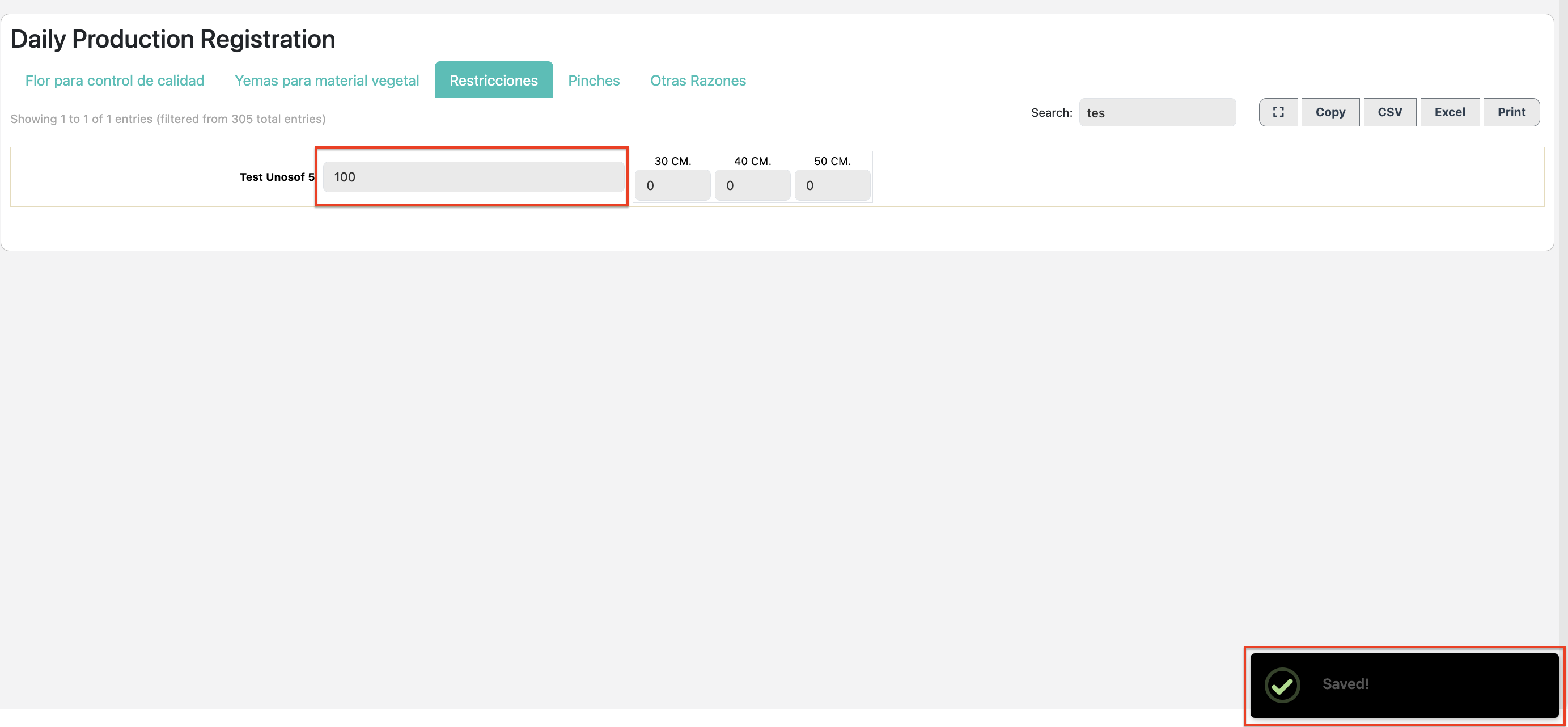
### Registro de Restricciones de Campo
Si usted no calificó la variedad y tira "mallas" enteras del campo, entonces no sabe la longitud del producto. En este caso, tenemos que ingresar un número total como restricción.
Ingrese los datos de acuerdo a la necesidad, una vez el dato se ingrese el sistema guarda automáticamente este dato, y un mensaje de Saved se despliega para confirmar el mismo.
### Ver Restricciones
Aquí se puede reportar cuántos tallos se han tirado en un periodo de tiempo. Seleccione la opción "Totals per Day" e ingrese un rango de tiempo para el reporte.
Las restricciones también se mostrarán en el reporte de producción en la opción "Bruto Production by Variety Total".