> For the complete documentation index, see [llms.txt](https://manual.unosofbooks.com/llms.txt). Markdown versions of documentation pages are available by appending `.md` to page URLs; this page is available as [Markdown](https://manual.unosofbooks.com/accounting/sri-electronic-transfer/sri-electronic-management/sri-report-check-post-vs.-generated.md).
# SRI Report (Check Post vs. Generated)
SRI Report (Check Post vs. Generated)
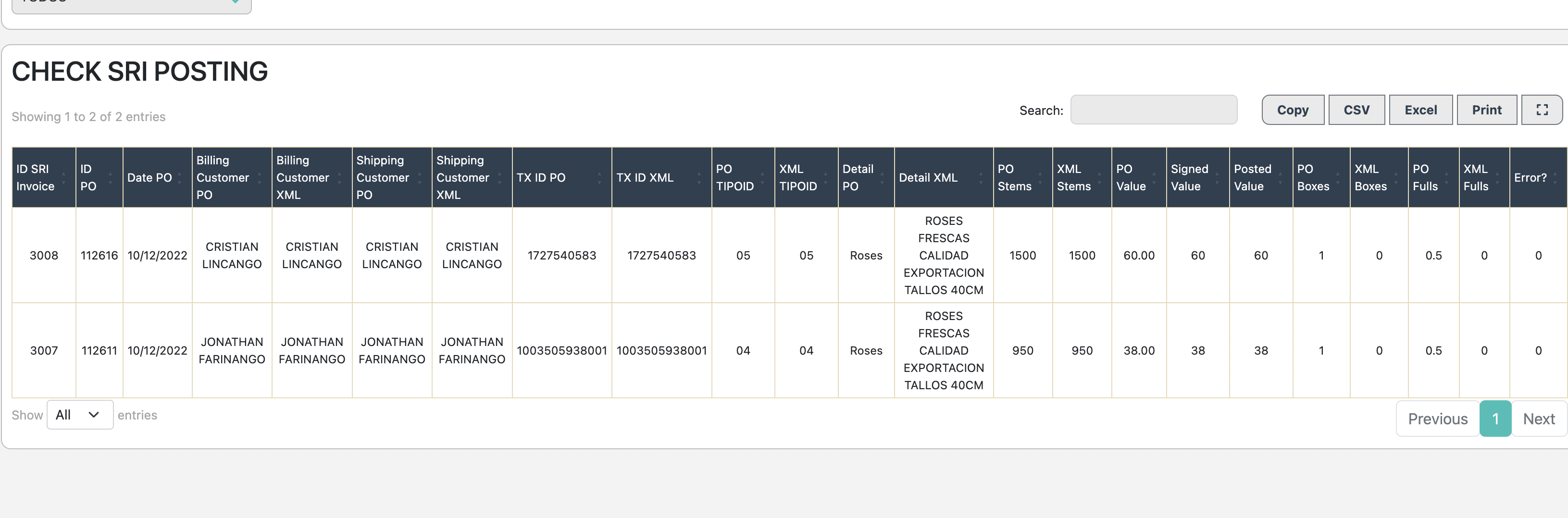
This report aids in verifying whether the data present in the XML matches the information that is created and invoiced in the UNOSOF order.
{% hint style="info" %}
It is more common to encounter differences when the farm conducts SWAPs or operates as a MASTER/SERVER farm.
{% endhint %}
The report will highlight in RED when an order differs from the original Purchase Order (PO) in UNOSOF as compared to the generated XML.
All data must align between the UNOSOF and XML columns.
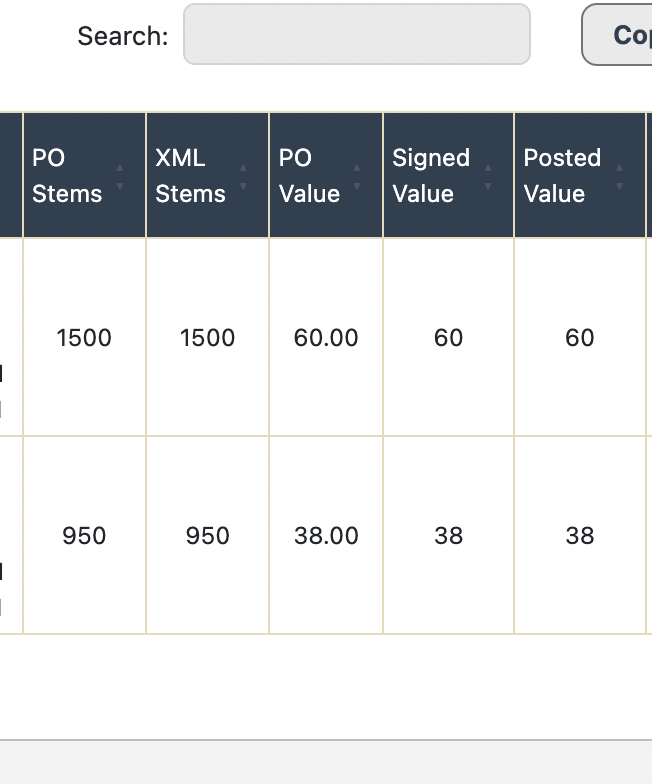
For instance: Order 112616 should have 5000 stems, matching between the PO STEMS and XML Stems columns.
All columns should have identical values, except for the XML BOXES column. This discrepancy arises due to the farm's inventory in bunches. In such cases, the XML BOXES column will consistently hold a value of 0. However, if the farm maintains inventory in BOXES, the XML BOXES column should match the value in the PO BOXES column.
{% hint style="info" %}
The orders must be invoiced for this report to display data.
{% endhint %}